
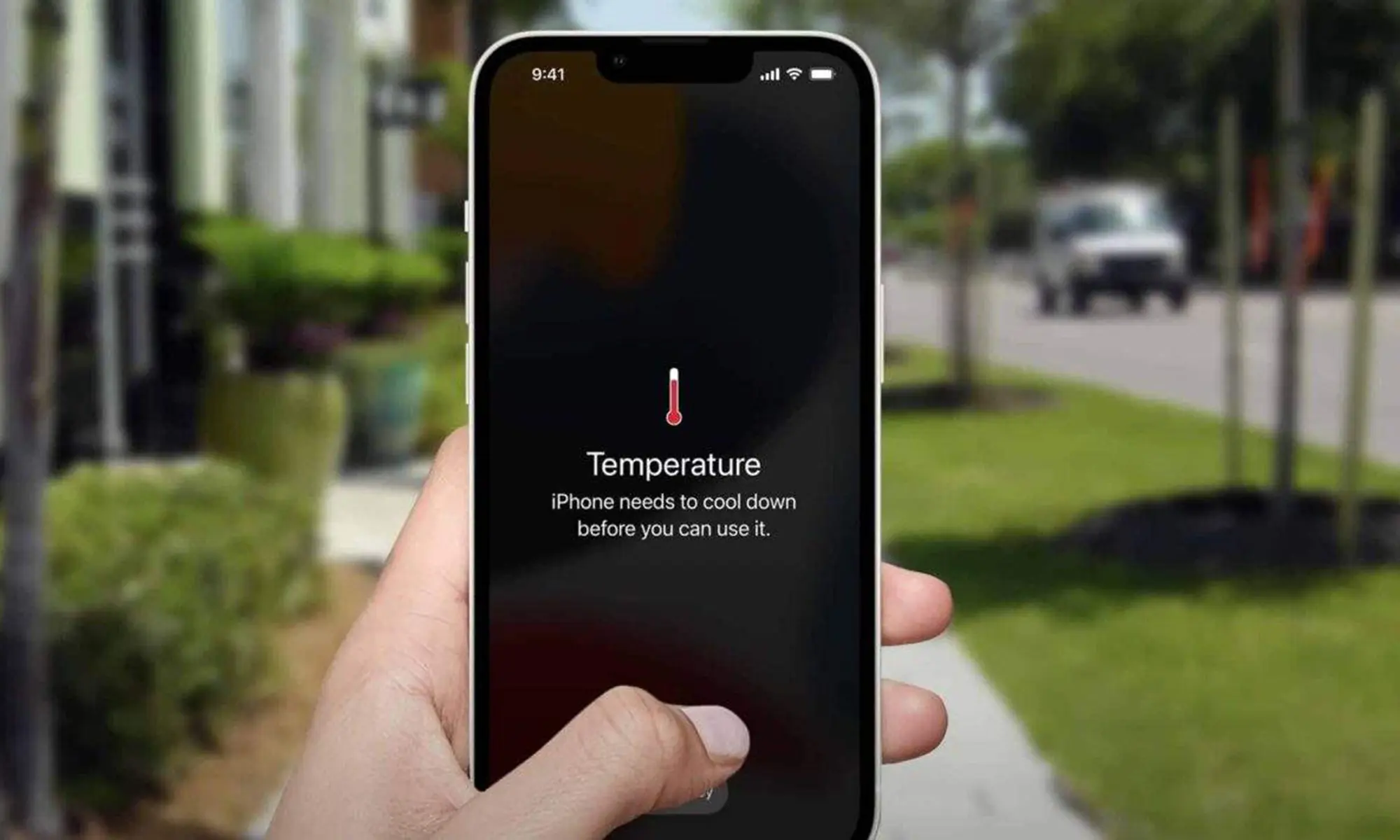
Is your iPhone suddenly getting hot during charging, gaming, video calls, or even normal use? A slightly warm phone is not always a problem. Your iPhone naturally produces heat when the processor, battery, camera, display, or internet connection works harder than usual.
However, if the phone becomes uncomfortable to hold, shows a temperature warning, drains the battery quickly, or switches off, you should not ignore it. An iPhone overheating problem may come from heavy apps, direct sunlight, a poor-quality charger, software trouble, or a damaged battery.
This guide explains why my iPhone is overheating, how to cool it safely, and when you should contact a repair technician.
Why Is My iPhone Getting Hot?
Your iPhone creates heat while processing information and drawing power from the battery. The aluminium, glass, and internal frame help move that heat away from the components.
The phone may struggle to release heat when you:
- Use several demanding apps at once
- Keep the phone under direct sunlight
- Charge it while gaming or streaming
- Use a thick phone cover
- Record long videos in high resolution
- Use GPS navigation continuously
For example, using Google Maps with mobile data, maximum brightness, Bluetooth, and charging at the same time can quickly make an iPhone hot.
Is It Normal for an iPhone to Feel Warm?
Yes, mild warmth is usually normal during certain activities. Your iPhone may feel warm when you:
- Set up a new device
- Restore data from iCloud
- Install a software update
- Record 4K video
- Play graphics-heavy games
- Make a long FaceTime call
The phone should cool down once the task ends.
You may have an iPhone heating issue if the device:
- Becomes too hot to hold
- Shows a temperature warning
- Stops charging
- Dims the screen on its own
- Freezes or slows down
- Restarts unexpectedly
These signs may point to a software, charging, battery, or internal hardware problem.
Common Causes of iPhone Overheating
Too Many Apps Running in the Background
Apps can continue using location services, refreshing content, uploading photos, or checking messages after you leave them.
Open Settings > Battery and check which apps use the most power. An app with unusually high battery usage may also be causing heat.
You do not need to close every app repeatedly, but you should close an app if it freezes, crashes, or keeps running heavily.
High Screen Brightness
A bright display uses more battery and creates additional heat. The effect becomes stronger when you watch videos or use your iPhone outdoors.
Reduce the brightness through the Control Centre. You can also enable Auto-Brightness under Accessibility settings so the phone adjusts the display according to surrounding light.
Gaming, Video Editing, and Camera Use
Games, video editing tools, augmented reality apps, and the camera place heavy demand on the processor.
For example, recording a 4K video for twenty minutes on a hot day can trigger an overheating warning. Social media apps can also create heat when they use the camera, microphone, location, and mobile data together.
Take a short break and let the phone cool before continuing.
Using the iPhone While Charging
Charging already creates some heat. Gaming, streaming, or joining a video call while charging adds more pressure to the battery and processor.
This often explains why my iPhone is heating near the back panel or charging port.
Let the phone charge without heavy use. Remove the case if it feels unusually warm.
A Damaged or Low-Quality Charger
A broken cable, loose charging pin, cheap adapter, or unsupported wireless charger can create unstable power flow.
Stop using a charger if:
- It becomes extremely hot
- The charging connection keeps dropping
- The cable has exposed wires
- The adapter makes a buzzing sound
- You notice a burning smell
Use a compatible charger and cable from a reliable manufacturer.
Weak Mobile Signal
An iPhone uses extra power when it repeatedly searches for a stable network. You may notice this in basements, remote areas, lifts, parking areas, or buildings with thick walls.
Connect to Wi-Fi when available. Turn on Airplane Mode temporarily if you do not need calls or mobile data.
Software Bugs and Outdated Apps
A faulty app or software process may continue running even when the screen is off. This can cause battery drain and heat.
Restart the iPhone and install available iOS updates. Also update your apps through the App Store.
If the phone started overheating after installing a particular app, remove that app and check whether the temperature returns to normal.
Battery Health Problems
An old or damaged battery may create excessive heat, charge slowly, or drain quickly.
Check battery condition under Settings > Battery > Battery Health & Charging. A service warning or very low maximum capacity may mean the battery needs replacement.
Do not use the phone if the battery looks swollen or pushes the screen upward.
How to Cool Down iPhone Safely
People often search for how to cool down the iPhone quickly, but using the wrong method can damage the device.
Follow these steps:
- Stop gaming, recording, streaming, or navigation.
- Disconnect the charger.
- Remove the phone case.
- Move the iPhone away from sunlight.
- Reduce screen brightness.
- Turn off Personal Hotspot, Bluetooth, and GPS if not needed.
- Switch on Airplane Mode for a few minutes.
Never put your iPhone in a freezer or refrigerator. Sudden cooling can create moisture inside the phone and damage the display, battery, or internal board.
Quick Solutions for Different Heating Problems
| Heating Situation | What You Can Do |
|---|---|
| iPhone heats while charging | Remove the case and try another charger |
| Phone heats during gaming | Stop the game and let the device rest |
| Heat started after an iOS update | Restart the phone and update all apps |
| iPhone heats in your pocket | Turn off hotspot, GPS, and unused apps |
| Phone gets hot with fast battery drain | Check battery usage and battery health |
| Heat appears near the camera | Close camera and social media apps |
| Phone heats in weak-signal areas | Use Wi-Fi or Airplane Mode |
How to Prevent Future iPhone Overheating
Simple habits can reduce repeated heating:
- Avoid leaving the phone inside a parked car
- Keep it away from direct sunlight
- Do not place it under a pillow while charging
- Use trusted charging accessories
- Avoid gaming while charging
- Update iOS and apps regularly
- Limit unnecessary background app refresh
- Remove unused apps
- Keep enough free storage space
- Check battery health every few months
You can internally link this section to related pages such as iPhone battery replacement, iPhone charging port repair, iPhone screen repair, and water-damaged iPhone repair.
When Should You Visit a Repair Centre?
You should arrange an inspection if your iPhone keeps overheating during normal use or after trying the basic fixes.
Visit a technician when:
- The phone heats up while idle
- Charging stops repeatedly
- The battery drains within a few hours
- The device restarts without warning
- The screen begins lifting
- You notice a burning smell
- The phone became hot after water or impact damage
Zee Mobi Solutions can check the battery, charging port, internal connections, software condition, and motherboard for faults. A proper diagnosis can help you avoid replacing parts that are still working.
Conclusion
The answer to Why Is My iPhone Overheating? Causes and Solutions usually depends on when the heat appears. Heavy apps, direct sunlight, poor network coverage, charging habits, software bugs, and battery damage are some of the most common reasons.
Start by stopping demanding tasks, removing the case, disconnecting the charger, and letting the phone cool naturally. If your iPhone still gets hot during basic use, book a professional inspection before the heat causes further damage.
Frequently Asked Questions
Why is my iPhone getting hot while charging?
Fast charging, heavy phone use, a thick case, or a faulty charger may make the device hot.
Can iPhone overheating damage the battery?
Yes. Regular exposure to high temperatures can reduce battery capacity and shorten battery life.
Why is my iPhone overheating when I am not using it?
Background apps, software bugs, weak signal strength, syncing, or battery problems may cause heat while the phone is idle.
Can a phone case cause an iPhone heating issue?
A thick case can trap heat, especially during charging, gaming, navigation, or video recording.
Should I switch off my iPhone when it gets hot?
Switch it off if it becomes extremely hot. Keep it in a shaded, dry place and allow it to cool naturally.