[vc_row type=”in_container” full_screen_row_position=”middle” column_margin=”default” scene_position=”center” text_color=”dark” text_align=”left” overlay_strength=”0.3″ shape_divider_position=”bottom” bg_image_animation=”none”][vc_column column_padding=”no-extra-padding” column_padding_position=”all” background_color_opacity=”1″ background_hover_color_opacity=”1″ column_link_target=”_self” column_shadow=”none” column_border_radius=”none” width=”1/1″ tablet_width_inherit=”default” tablet_text_alignment=”default” phone_text_alignment=”default” overlay_strength=”0.3″ column_border_width=”none” column_border_style=”solid” bg_image_animation=”none”][vc_column_text]You know that moment when you plug in your phone… and nothing happens? Or worse, it starts charging only when you bend the cable just right? Yeah, that’s your charging port giving you early warning signs.
Most people ignore it. They twist the cable, get it to work “for now,” and move on. But here’s the truth: ignoring a faulty charging port is like ignoring a toothache. It might seem fine for a while, but it usually gets worse—fast.
Why the Charging Port Matters More Than You Think
Your charging port isn’t just about powering your phone. It handles charging, data transfers, and for many people, accessories too. If it starts acting up, the whole phone becomes unreliable.
And unlike software bugs, this kind of issue doesn’t “sort itself out.” A loose, dirty, or damaged port typically gets worse the longer you delay fixing it.
If your phone struggles with similar issues, our hardware support team can help diagnose and repair the root cause quickly.
Clear Signs Your Charging Port Is Failing
The symptoms usually start small and then build up over time. Many people don’t realize it’s a charging port issue at first—they blame the cable or adapter. Here are some common signs to watch for:
- Loose connection: you have to keep finding the “sweet spot” to make it charge.
- Intermittent charging: It keeps connecting and disconnecting.
- Slow charging: Even with a good cable, the battery creeps up painfully slowly.
- No charging at all: You plug it in… nothing.
- Cable works elsewhere: If your cable works perfectly on another device, your port is the suspect.
- Visible dust or bent pins: A quick look inside shows gunk or physical damage.
If any of these sound familiar, don’t shrug it off. It’s a warning sign. Visit our mobile phone repairs center before it gets worse.
Why You Shouldn’t Wait to Get It Fixed
It’s easy to say, “It still works if I hold it this way,” and push the repair for later. But waiting can actually create bigger—and more expensive—problems. Here’s why:
- Sudden failure – Ports can stop working overnight.
- Cable or battery damage – A loose connection sends unstable power.
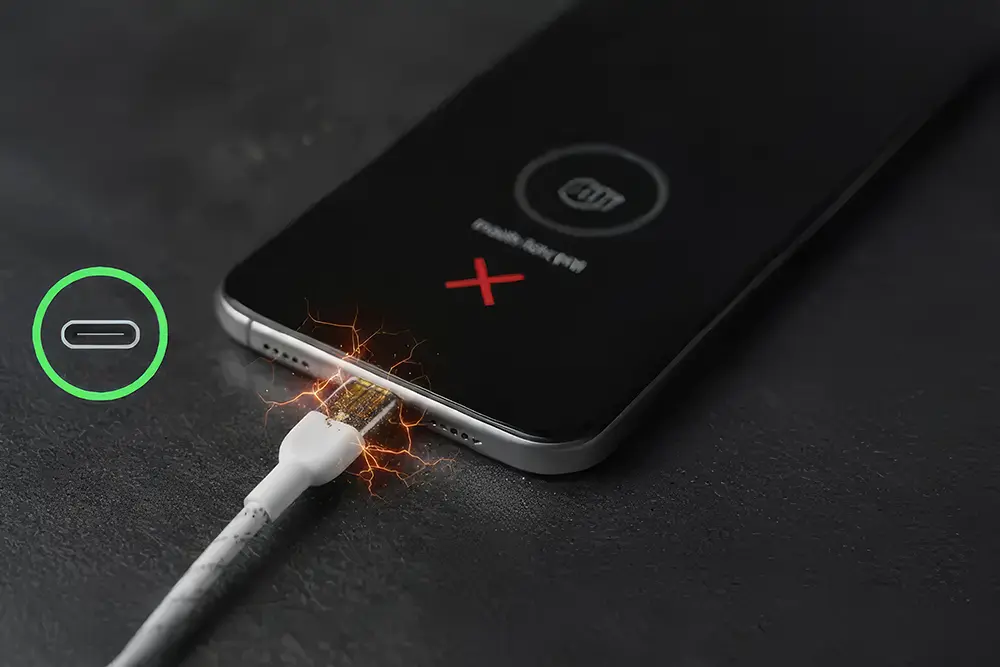
- Internal damage risk – In rare cases, a failing port can short the board.
- Moisture and dirt spread – Corrosion creeps further in.
- Data transfer issues – You’ll start losing connection to your computer.
The short version: fixing it early usually saves money, time, and frustration. For quick help, check our mobile phone repairs
5 Obvious Signs It’s Time for Repair
Here’s a quick list to make it extra clear. If you check off two or more, it’s time for repair:
• You have to twist or hold the cable to keep it charging.
• The phone charges slowly even with a good charger.
• Other cables work fine on different phones but not yours.
• The port feels loose or unstable.
• You can see dust, bent pins, or corrosion inside.
If this is you, stop delaying. Ports don’t fix themselves. Our charging port issue technicians handle this daily.
Safe Things You Can Try at Home First
Not every charging issue means a shop visit. Sometimes, it’s just lint or a tiny blockage inside the port. Here’s what you can safely try:
- Inspect with a flashlight.
- Clean gently using a plastic toothpick.
- Try another cable and adapter.
- Restart or update your phone.
- Connect to a computer—if it detects but won’t charge, it’s likely hardware.
If you notice bent pins or corrosion, stop poking—it’s repair territory. Our computer repairs and laptop repair team also handles similar connector issues.
Professional Repair Is Usually Quick
Here’s the good news: charging port repair is one of the most common—and fastest—fixes out there.
Often, a simple professional clean is all it takes. If replacement’s needed, modern phones use detachable port modules.
It’s cheaper than most repairs, and your phone feels brand new again. No more bending cables at weird angles.
For expert service, visit our phone accessories section for details.
How to Avoid Charging Port Issues in the First Place
Once your port works again—or if it’s still healthy—follow these habits to keep it that way:
- Don’t use your phone while charging.
- Keep it dry—moisture corrodes pins.
- Use quality cables only.
- Be gentle while plugging in or unplugging.
- Clean occasionally with care.
Our software support team can also help optimize device safety settings.
When It’s Time to Call a Pro
If you’ve cleaned it, swapped cables, updated iOS, and it still fails—it’s time to hand it to a technician.
A faulty port is small but risky if forced repeatedly. A pro can tell within minutes if it’s a cleaning job or replacement. The earlier you fix it, the cheaper it usually is. You can also visit our laptop repairs ascot vale center for fast diagnosis.
Final Thoughts
A faulty charging port might start as a minor annoyance—but ignore it, and you’ll end up with a dead phone when you least expect it.
Pay attention to the signs, clean it safely, and repair it early. It’s one of the easiest and quickest fixes that bring your phone back to life. If you need immediate help, contact our hardware support today.[/vc_column_text][/vc_column][/vc_row]